
Download WordFox – Study Tool, Q&A App, Exam Prep, Flashcards, Productivity
Overview
WordFox is a mobile application designed to support students and lifelong learners in improving their study efficiency through a structured question-and-answer format. The app enables users to create and manage custom Q&A lists, helping to reinforce knowledge retention and prepare for academic assessments. By organizing study material in a digestible, interactive format, WordFox addresses common challenges such as information overload, poor recall, and inefficient revision habits. The app is particularly beneficial during exam periods, offering a focused method for reviewing key concepts and testing understanding. It targets a broad audience including high school and university students, language learners, and professionals preparing for certification exams. Although the developer did not provide additional background information, the app’s longevity since its release in 2009 suggests a stable, user-tested foundation. Real-world use cases include converting lecture notes into flashcards, importing existing study files for revision, and tracking progress across multiple subjects. In the broader educational technology ecosystem, WordFox fills a niche for lightweight, no-frills study tools that prioritize content over flashy design, making it a reliable utility for focused learning.Key Features & Functionality
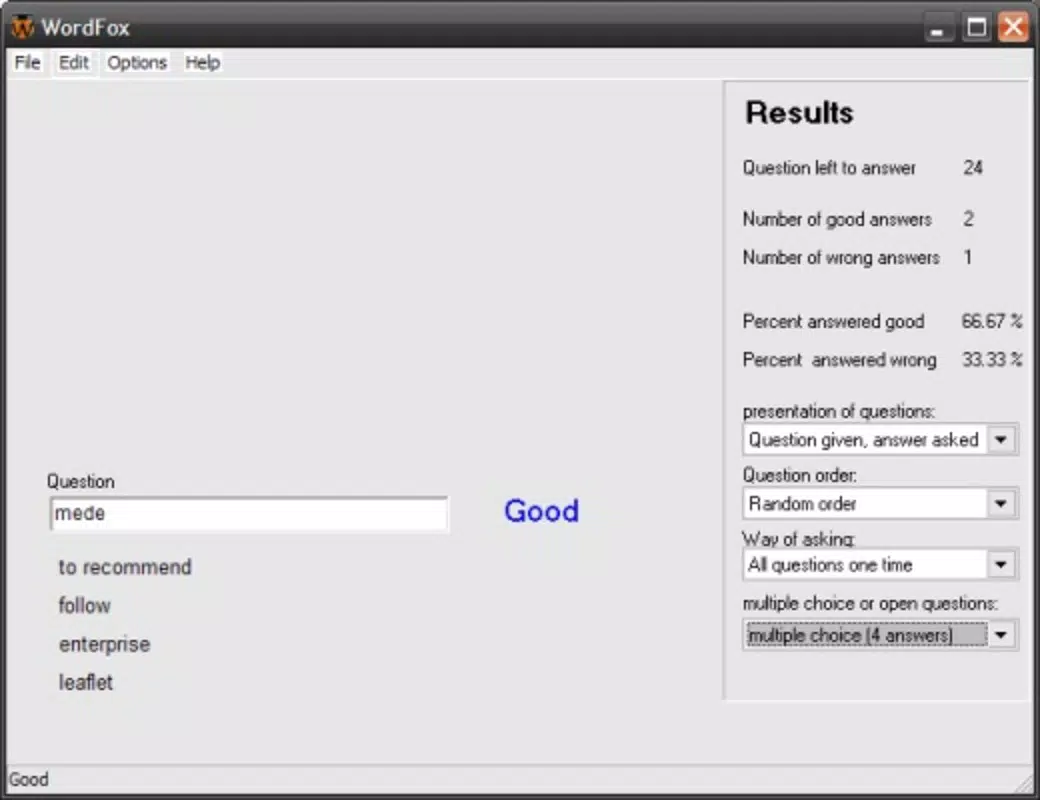
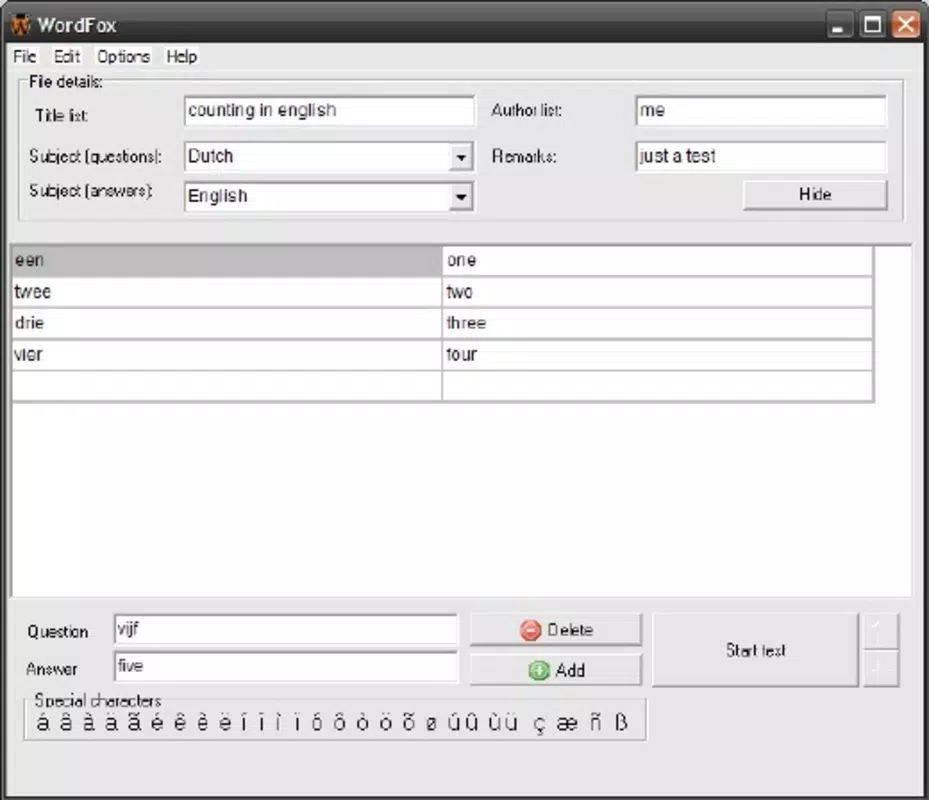
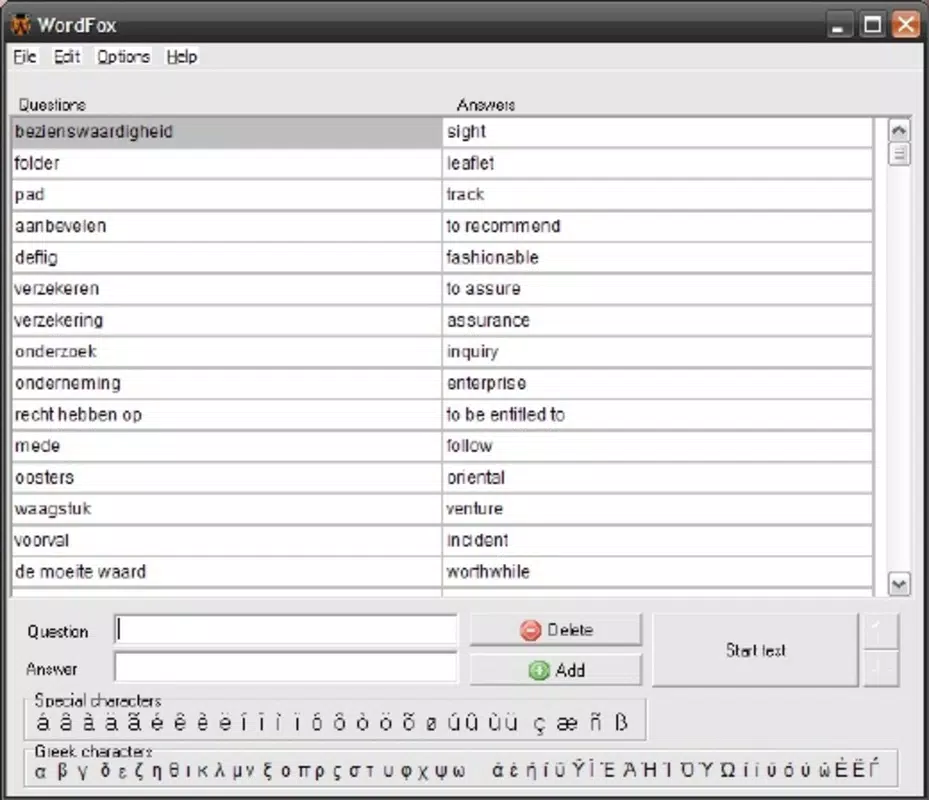
WordFox offers a suite of practical features tailored to the needs of learners who rely on active recall and spaced repetition. The app’s core functionality revolves around a user-friendly two-column interface, where questions and answers are displayed side by side. This layout simplifies the creation and review of study material, allowing users to quickly input content without unnecessary complexity. The interface supports flexible answer lengths, meaning users can enter concise responses or detailed explanations based on the subject matter—ideal for both memorization and deep conceptual understanding. A notable feature is the ability to import study content from external files, including .xml, .t2k, and .kvtml formats. This functionality enables users to transfer existing flashcard sets or study guides from other platforms, reducing setup time and preserving prior work. The app also includes study progress monitoring, which helps users assess their familiarity with each topic and identify areas requiring further review. This feature supports targeted learning by highlighting weak spots and encouraging focused repetition. For example, a student preparing for a biology exam can import a set of quiz questions, review them daily, and track their improvement over time. These features collectively enhance retention and confidence, making WordFox a practical tool for exam preparation and long-term knowledge building.Real-World Use Cases
- Converting lecture notes into structured Q&A for active recall practice
- Importing existing flashcard sets from other study apps to centralize learning
- Tracking progress across multiple subjects during exam season
- Creating detailed explanations for complex topics like calculus or medical terminology
- Using the app for language learning by building vocabulary and grammar Q&A pairs
Interface, UX & Performance
The user interface of WordFox is designed with clarity and simplicity in mind, focusing on functionality over visual flair. The two-column layout provides a clean, intuitive way to view and edit questions and answers, minimizing distractions during study sessions. Navigation is straightforward, with minimal menu layers, allowing users to quickly add, edit, or review content. The app’s responsiveness appears consistent across device categories, though the developer did not list formal performance metrics. Stability is implied by the app’s long-standing presence in the market since 2009. Users can expect smooth operation during typical study workflows, such as reviewing a list of flashcards or switching between different topics. Although the developer did not specify minimum OS requirements or compatibility details, the app’s lightweight nature suggests broad accessibility across older and newer devices. The absence of animations or heavy graphics contributes to efficient performance, particularly on lower-end hardware. While the design may appear dated by modern standards, it prioritizes usability and speed. The overall user experience is optimized for focused learning, with minimal interruptions and no unnecessary features. Users seeking a no-nonsense study tool will find the interface both reliable and effective.Platform Compatibility & Technical Requirements
WordFox is available for Android and iOS platforms, though specific OS versions were not listed by the developer. The app’s file size is not disclosed, but its lightweight functionality suggests it requires minimal storage space. The latest version was released on June 16, 2009, indicating a long-standing presence in the mobile app ecosystem. The developer did not specify minimum hardware requirements or compatibility details for newer devices. Users should exercise caution when installing on recent operating systems, as older apps may experience compatibility issues. The app’s continued availability suggests ongoing support, though updates appear infrequent. For those seeking the latest version, it is recommended to download from official app stores or trusted sources. The absence of detailed technical information means users should verify compatibility with their device before installation. The developer did not provide additional technical details.Pros and Cons
- Simple, distraction-free interface ideal for focused studying
- Supports flexible answer lengths for both concise and detailed responses
- Import functionality for .xml, .t2k, and .kvtml file formats
- Effective for exam preparation and long-term knowledge retention
- Lightweight design with minimal performance demands
- Outdated visual design may feel unappealing to modern users
- No recent updates since 2009, raising concerns about long-term compatibility
- Missing detailed system requirements and OS compatibility info
- Limited customization options for study sessions or review schedules
- No built-in spaced repetition algorithm or adaptive learning features


